Showing posts with label reading. Show all posts

Wednesday, June 5, 2013

Tapestry: Beautiful Storytelling

by Betaworks Bolsena
UPDATE: As of the end of 2014, the app has evolved into a medium for advertisers.  I don't think user generated content is possible any longer.

Original Post:

The app, Tapestry, allows a user to read community-generated multimodal text.  Using the website on the computer permits the user to easily compose a story.  What makes it different from reading (or writing) an eBook or blog, however, is that the author has total control over the size and position of the text.  More importantly though, the author controls when each word or phrase is revealed.  The pacing of the narrative is therefore shared between the author and the reader.  While the reader advances the story by tapping anywhere on the screen, the author has determined where and when words and phrases will appear on the screen.

Check out this example: https://readtapestry.com/s/zsSwRYknz/

Using this app and website as an authoring tool for children to use to publish and share their own work is an area of particular promise for using Tapestry.

Currently, there appears to be no audio component to this app and the experience more closely resembles reading a story rather than interacting with an app.  This seems to be an intentional design choice by the app developers and in my opinion is executed well.

I did try a test with the iOS VoiceOver accessibility feature and unfortunately, this app isn't currently VoiceOver friendly.  While the text on the screen can be accessed by the screen reader, VoiceOver first reads the image label - which is an incomprehensible sequence of letters and numbers. It seems that this could be an easy fix and potentially open the app up to users with vision and learning disabilities.

Currently the content available to read is sparse, particularly stories that would be of interest to school-aged children. However, users are uploading stories daily.  Businesses are also creating their own narratives - quasi story/commercials which are a pleasant alternative to banner ads.


Wednesday, April 10, 2013

Bitsboard

by GrasshopperApps.com

 
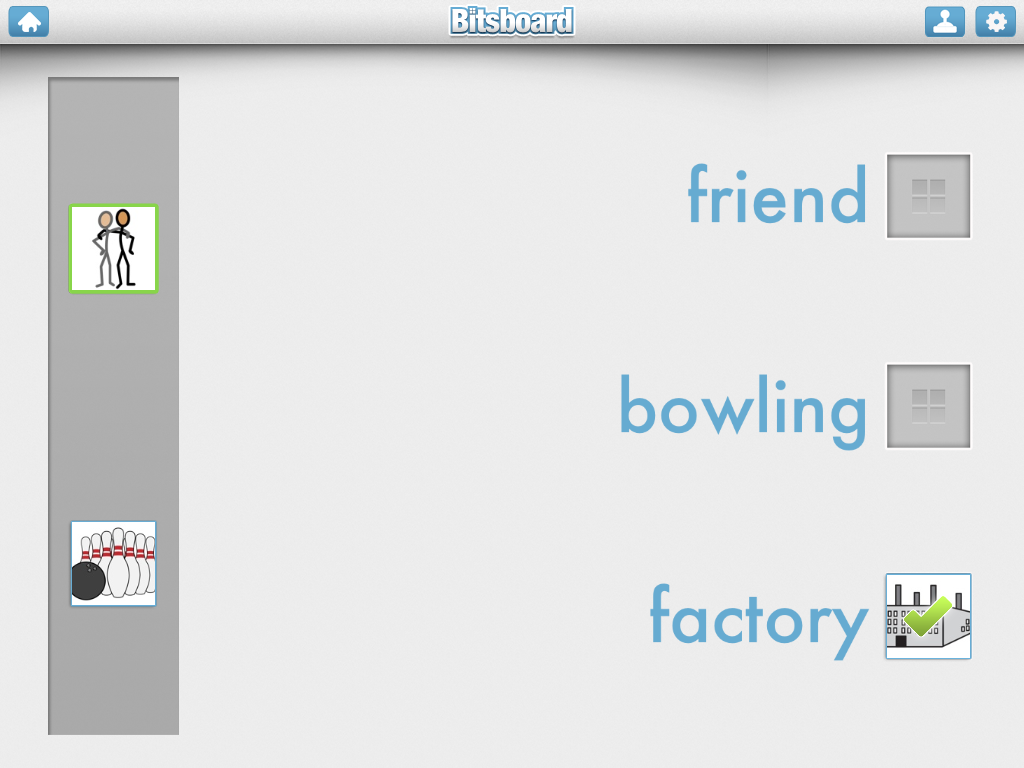
Bitsboard is the April App of the month.  This flashcard type app makes it easy to prepare several different kinds of study activities that make use of text, pictures, sound, and kinesthetics.  Pictures are imported into the app easily through the iPad's camera roll or camera.  The audio recording feature picks up sounds clearly so recorded speech sounds great when played back in the activities.
Once the images are imported the types of activities available on Bitsboard are:
  • Flashcards - review each image one at a time. 
  • Photo Touch - hear a word and touch the right picture
  • True or False - see a picture and a word and decide 'Check' if they match or 'X' if they don't
  • Match Up - drag multiple pictures to their matching words
  • Pop Quiz - see a picture and hear it's label and then select the text from multiple choices
  • Reader - see the text and choose the correct picture.  Use the speaker icon for an audio clue
  • Word Builder - drag scrambled letters to the bottom of the page to correctly spell a word
  • Spelling Bee - see and hear word then use the keyboard to spell the word


While importing pictures that are already on the camera roll is quite easy, it would be nice if the app could access files on Dropbox.  This would make getting curriculum material from one's computer into the app much quicker.  Currently, there does not appear to be a way to access Dropbox web folders.
 
Bitsboard can be a fun and motivating way to practice vocabulary and spelling.  This app is rated a must-have for classrooms with readers and emerging readers alike.


Wednesday, March 6, 2013

Voice Dream

by Voice Dream LLC

The text-to-speech app, Voice Dream, is the March app of the month.  The term text-to-speech means that the computer will read any text on the screen aloud.  This is useful for users who are blind or have low-vision, users who have reading difficulties, and users who are just beginning to read. 

The app connects seamlessly with the Bookshare service, which provides accessible content to qualifing users.  Please see the Bookshare website for more information about the qualifications.  Books downloaded from Bookshare are quickly loaded and prepared to be read aloud.

Teachers will find Voice Dream to be a useful way to provide grade-level content to students who are not yet reading at grade level.  For example, a 5th grader who is still learning to decode and improve fluency will be able to independently engage  with science text written at the fifth grade level.  By using the Dropbox service, teachers can easily provide students with accesible versions of the text.  Voice Dream can read text from the following formats:
  • PDF
  • MS Word and PowerPoint
  • Plain or rich text
  • some ePub (DRM-free)
  • HTML
Additionally, Voice Dream has a built in text editor, so a user can enter any text and have it read aloud.  For example, a student who is working with a hard-copy text book may get stuck with a particular word, phrase, or sentence.  By typing the text into the Voice Dream editor, the student could listen to the text repeatedly, helping comprehension.

The app allows many features to be adjusted such as text and page color, text size, highlighting, and rate of speech. 

Different voices are available for purchase and all of these are available to sample using the Voice Dream Lite version of the app.  The lite version will read the first few lines of text before the text-to-speech is disabled.

In conclusion, Voice Dream is a must-have for classrooms and families looking for a robust text-to-speech app that goes beyond the basic functions of iOS's built in VoiceOver functions. 


Voice Dream by Voice Dream LLC: $9.99

Other Text-to-Speech apps:
Natural Reader by NaturalSoft Limited: Free
Read2GO by Benetech: $19.99         


Wednesday, January 2, 2013

Article Summary: Apps and Reading

Educational Apps Alone Won’t Teach Your Kid to Read

By Lisa Guernsey and Michael Levine published on Slate.com, December 13, 2012
Educational Apps Alone Won't Teach Your Kid to Read

This is a fantastic article that clearly reports on the current state of educational apps related to reading. The following is a brief summary of the article.
There exist thousands of apps on the marketplace, many claiming to teach children how to read.  Guernsey and Levine found that most apps teach the most basic reading skills of letter identification and letter/sound relationships.  Presently, neither app nor ebook has harnessed the affordances of iPads and tablets to teach higher level skills of vocabulary and comprehension, which are critical components of reading for purpose.
·         Most top-selling reading apps teach the basics: alphabet identification and phonics

·         Most apps don’t address higher-level skills like vocabulary and comprehension – critical components for becoming a fluent reader

·         Many ebooks are currently designed to be watched, rather than read

·         Ebooks could leverage the interactivity of the tablet, but for the most part developers aren’t designing stories to address comprehension and vocabulary

·         The authors imagine a good ebook as one that asks questions that leads to interaction with the screen – combined with interaction with the parent or teacher

·         80% of top-selling paid education apps are marketed for children, many claiming to help children learn to read

·         Apps often do not provide information about how and if they accomplish their stated goals

“At its best, the technology complements the work of trained teachers and parents.  It doesn’t replace it.”
-Guernsey and Levine